Gemini Video Prompts 2026: 14 Copy-Paste Prompts for Birthday, Festival & Couple Videos
Copy-paste Gemini video prompts for birthdays, anniversaries, Christmas, New Year and festivals: turn your photo into a video with sound, plus a simple prompt formula, tips and fixes.
Gemini doesn't just make images any more. Its Create video tool turns a short text prompt, or your own photo, into a video clip with sound: snow falling around your selfie, a birthday cake with candles being blown out, fireworks at midnight, or an old family photo gently coming to life.
Below are 14 copy-paste Gemini video prompts for birthdays, anniversaries, Christmas, New Year, Gurpurab and more. Every prompt has a Copy button, and most let you change the name or text before copying.
How to use: open Gemini, choose Create video, attach your photo if the prompt says “uploaded photo”, then paste the prompt. The pictures on this page are still images of the scene each prompt creates; your result will be a moving video.
What Gemini video can do (2026)
- Model: Gemini's video tool now runs on Gemini Omni, which replaced the earlier Veo model in the Gemini app.
- Length: clips of up to about 10 seconds.
- Sound: it creates audio too: music, sound effects and short spoken lines you write in quotes.
- Photos: you can start from your own photos (up to five) instead of only text.
- Access: video creation needs a Google AI subscription, and limits depend on your plan and country. Google Flow (Google's AI filmmaking tool) has given free users a small number of daily credits; check the current offer in the app.
Features and limits change often, so check the Gemini app for what your account can do today.
Quick start: how to make a video in Gemini
- Open gemini.google.com or the Gemini app and sign in.
- Tap Tools, then Create video.
- If the prompt uses your photo, tap + and attach it.
- Paste a prompt from this page and send. Creating a video usually takes a minute or two.
- Play it, then tap the download icon to save it for WhatsApp or Instagram.
The video prompt formula
Video prompts need more than an image prompt, because you are describing what happens, not just what it looks like. Every prompt below follows this pattern:
- Starting point: “Use my uploaded photo as the starting frame…” or a short scene description.
- Action: one or two simple things that happen, in order: “blows out the candles, then confetti falls”.
- Camera: “slow push-in”, “camera circles around us”, “top-down shot”.
- Sound: music, sound effects, and any spoken words in quotes: "Happy New Year!".
- Style and format: “cinematic, realistic”, plus 16:9 for YouTube or vertical 9:16 for Reels and WhatsApp status.
Birthday video prompts
Blowing out the candles
Turn a normal photo into a birthday moment with cheering friends. Put the birthday person's name in the personalize box.
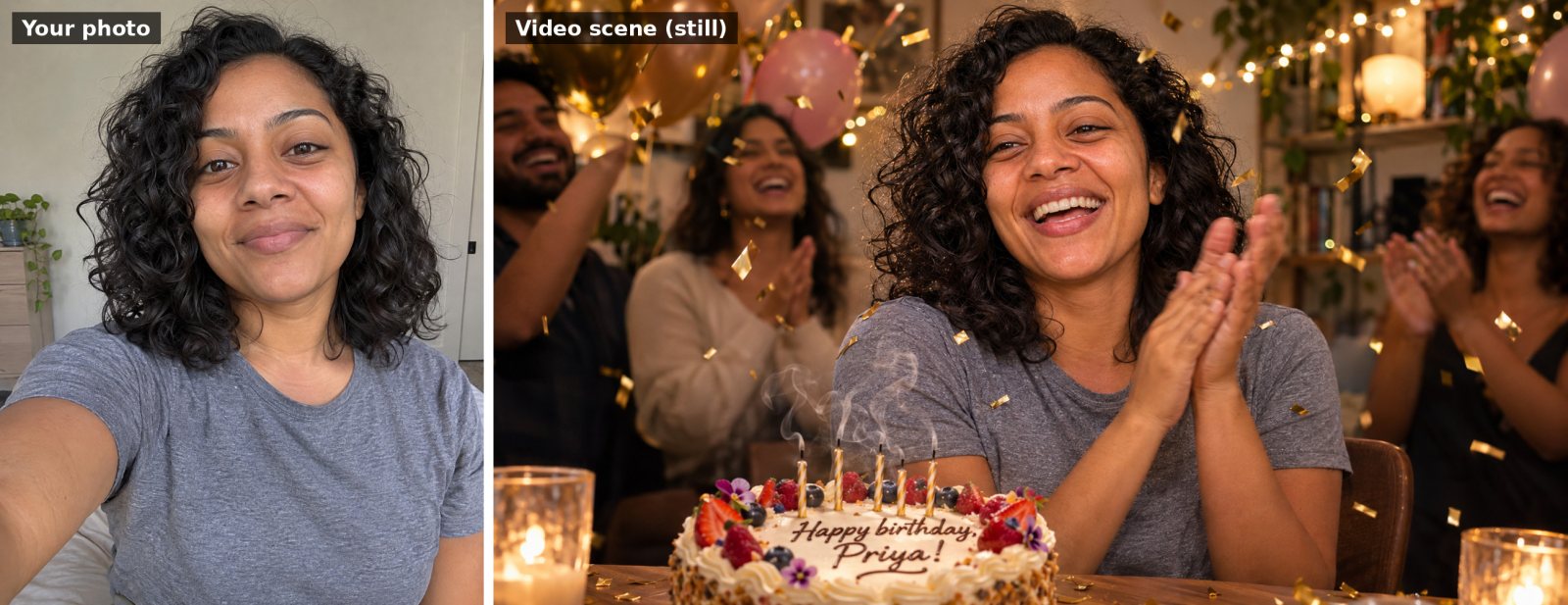
Use my uploaded photo as the starting frame and keep my face, features and clothes exactly the same throughout the video. Animate me sitting at a table in a cozy room decorated with balloons and fairy lights, a birthday cake with lit candles in front of me. I smile, lean forward and blow out the candles; the flames go out with a little puff of smoke, then gold confetti falls and I laugh and clap. Slow push-in camera. Sound: friends cheering and shouting "Happy birthday, Priya!", then light party music. Warm, joyful, realistic, 16:9.
Animated birthday card (no photo needed)
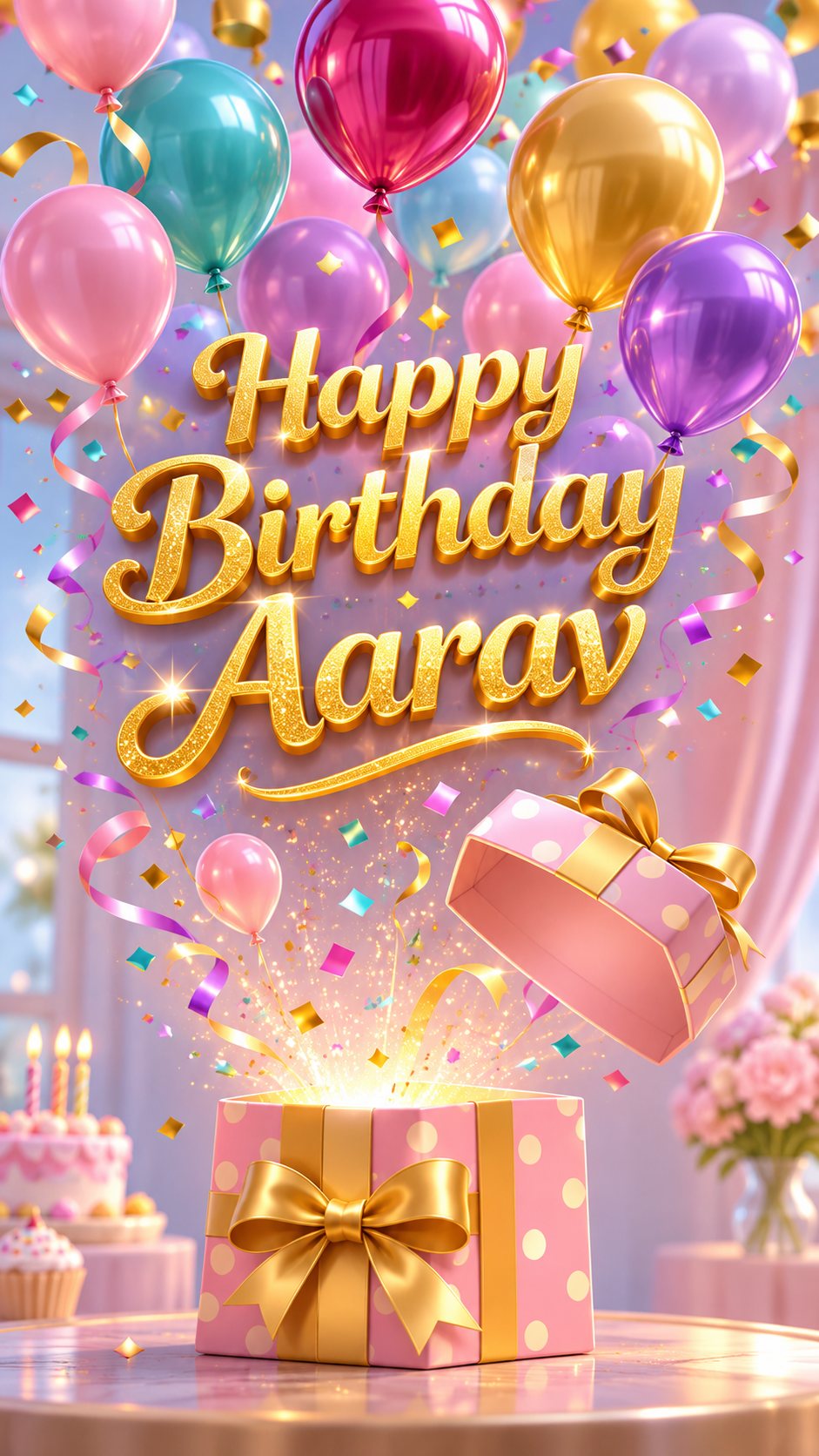
An animated birthday greeting video: a pastel gift box sits on a table, the lid pops open and colorful balloons float up out of it, followed by a burst of confetti. As the balloons rise, glittery gold text appears in the middle of the screen: "Happy Birthday Aarav". Gentle camera tilt upward following the balloons. Sound: a soft pop, a cheerful chime and upbeat music. Bright, playful 3D animation style, vertical 9:16, text spelled exactly as written.
Child photo to cartoon birthday video
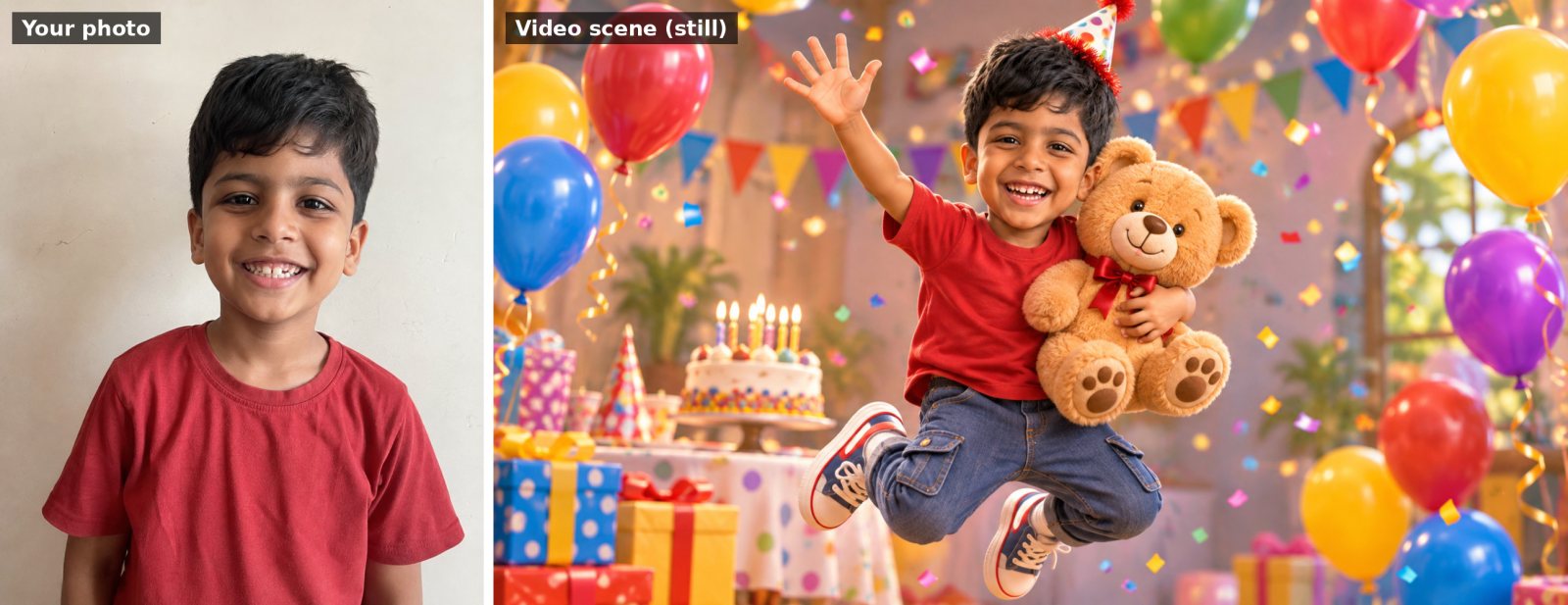
Use my uploaded photo of my child as the reference and keep the child's face recognisable. Turn them into a cute 3D animated cartoon character in a colorful birthday party scene: they wear a party hat, jump with excitement, wave at the camera and hug a big teddy bear while balloons bounce around them. Sound: happy giggles and a cheerful birthday tune. Pixar-like 3D animation style, bright colors, 16:9.
Couple and anniversary video prompts
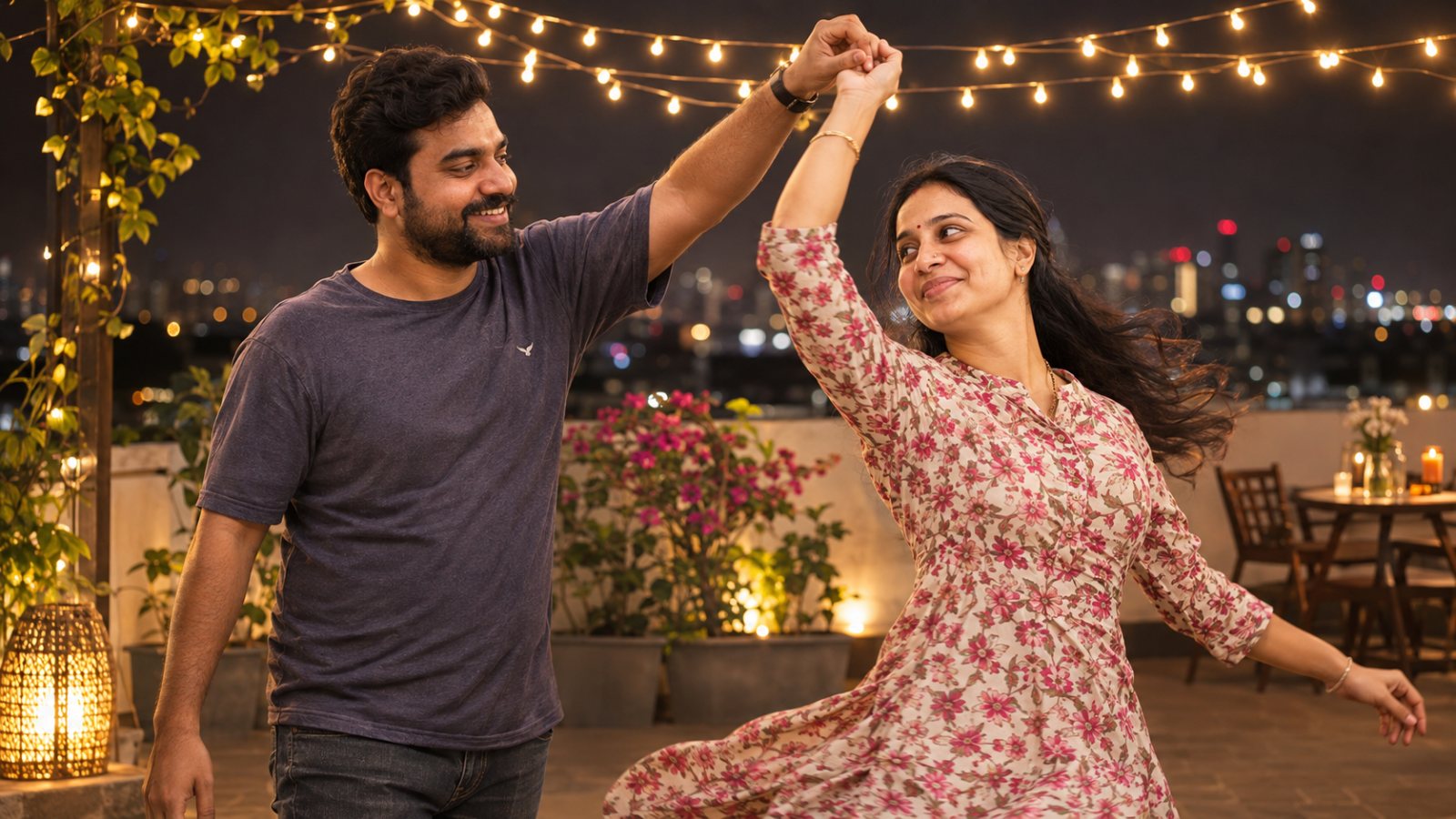
Slow dance under fairy lights
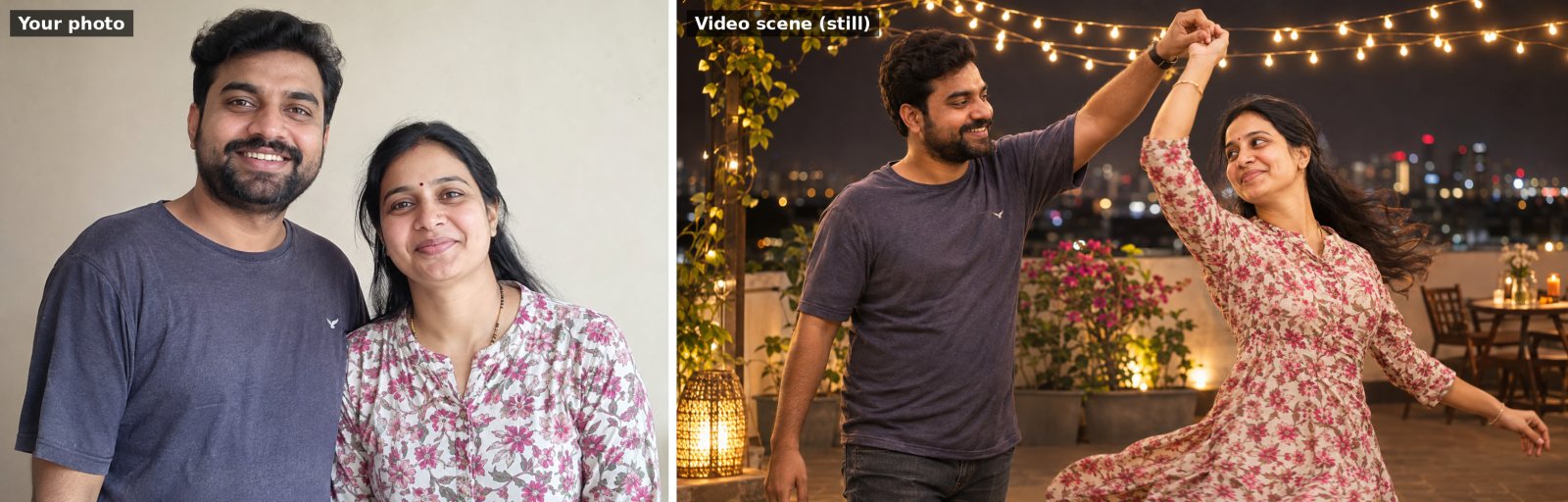
Use our uploaded photo as the starting frame and keep both faces exactly the same throughout. Animate us slow dancing together on a rooftop at night under strings of warm fairy lights, city lights blurred behind us. We sway gently, my partner twirls me once, and we smile at each other. Slow circling camera move around us. Sound: soft romantic piano music and distant city ambience. Cinematic, warm, realistic, 16:9.
Valentine's rose petals
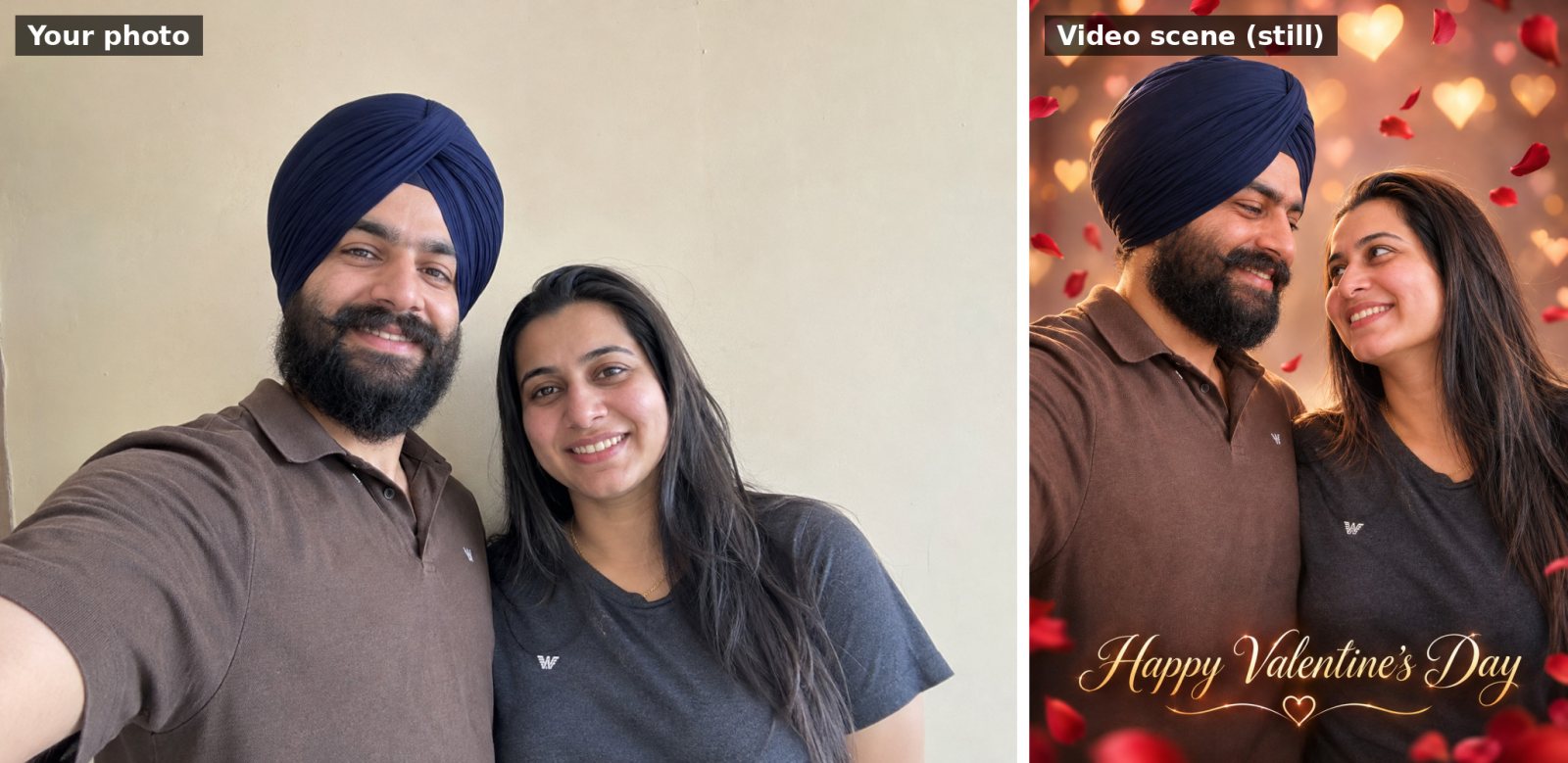
Use our uploaded photo as the starting frame and keep both faces exactly the same throughout. Red rose petals start falling gently around us, the background softly fills with glowing heart-shaped bokeh, and we turn to look at each other and smile. Slow push-in camera. Near the end, elegant text fades in at the bottom: "Happy Valentine's Day". Sound: soft romantic music. Dreamy, realistic, vertical 9:16, text spelled exactly as written.
Christmas video prompts
Snow falls around your photo
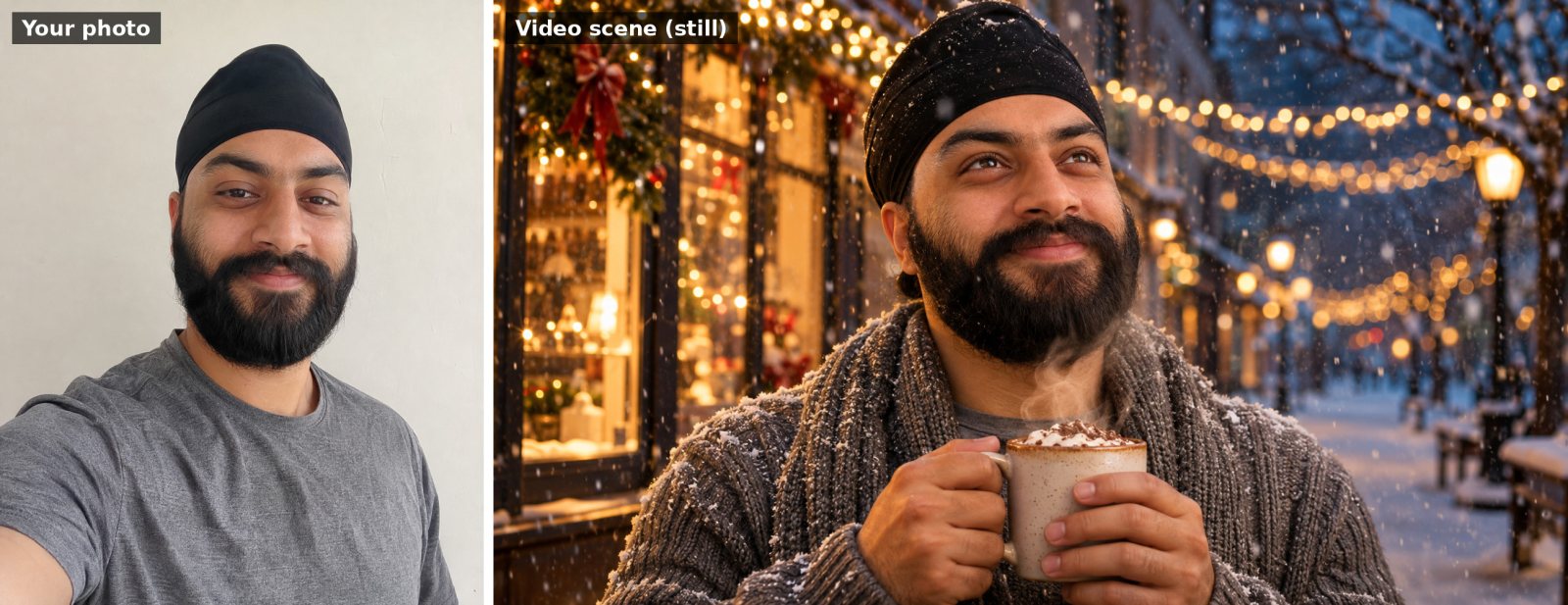
Use my uploaded photo as the starting frame and keep my face, features and clothes exactly the same throughout the video. Animate me on a snowy evening street lined with Christmas lights, wearing a cozy knit sweater and scarf. Snowflakes begin to fall, the string lights twinkle on, I look up at the snow, smile and take a sip from a mug of hot chocolate with steam rising. Slow, gentle camera push-in. Sound: soft jingle bells, crunchy footsteps in snow and quiet festive music. Cinematic, warm, realistic, 16:9.
Animated Christmas card (no photo needed)
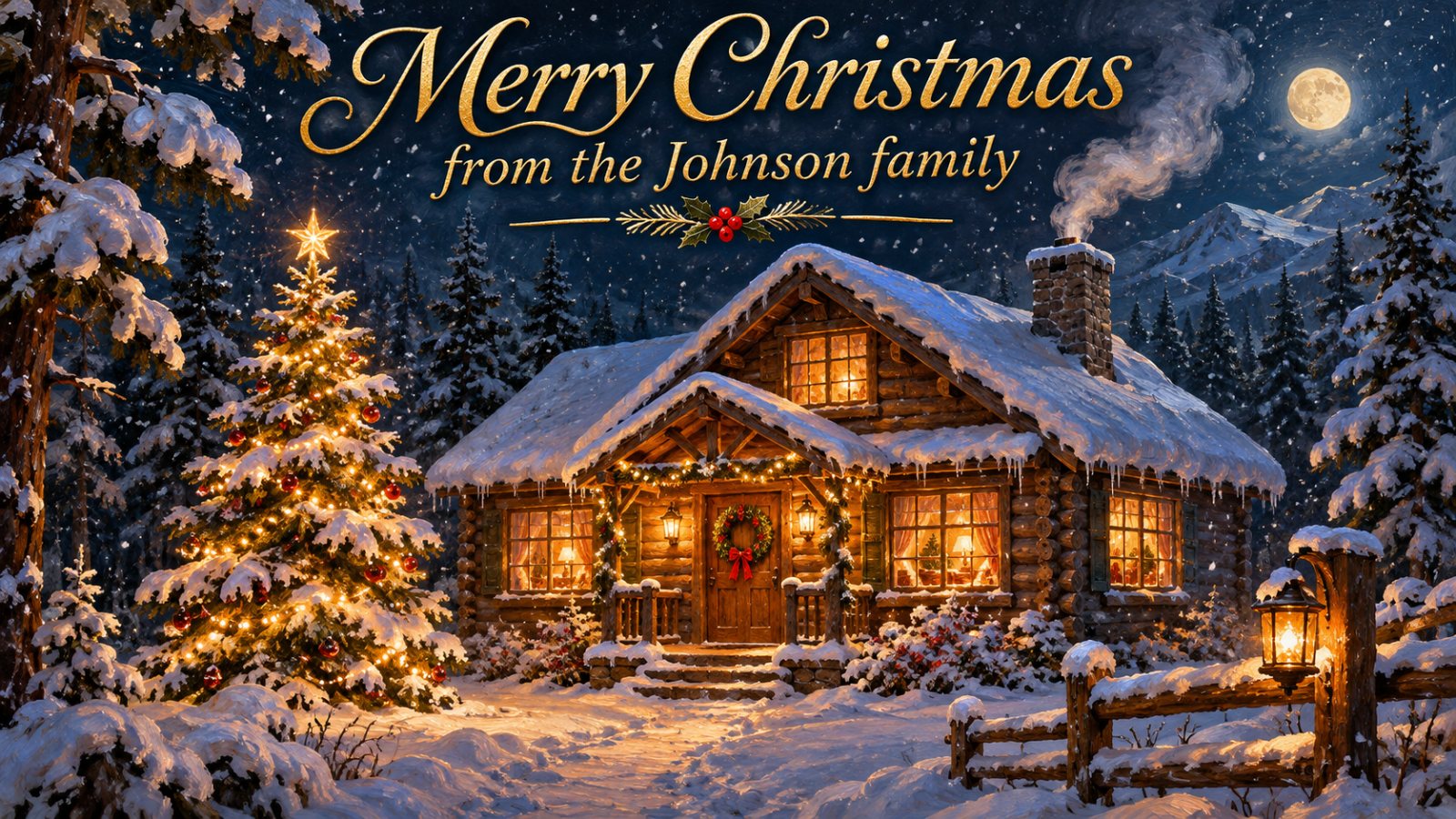
An animated Christmas card video: a snow-covered log cabin at night in a pine forest, snow gently falling. The cabin's windows light up one by one with a warm golden glow, the Christmas tree beside it switches on its fairy lights, and smoke curls from the chimney. Elegant gold text slowly appears at the top: "Merry Christmas" and below it "from the Johnson family". Slow camera push-in toward the cabin. Sound: soft sleigh bells and gentle festive music. Painterly, cozy, 16:9, text spelled exactly as written.
New Year video prompts
Midnight countdown with fireworks
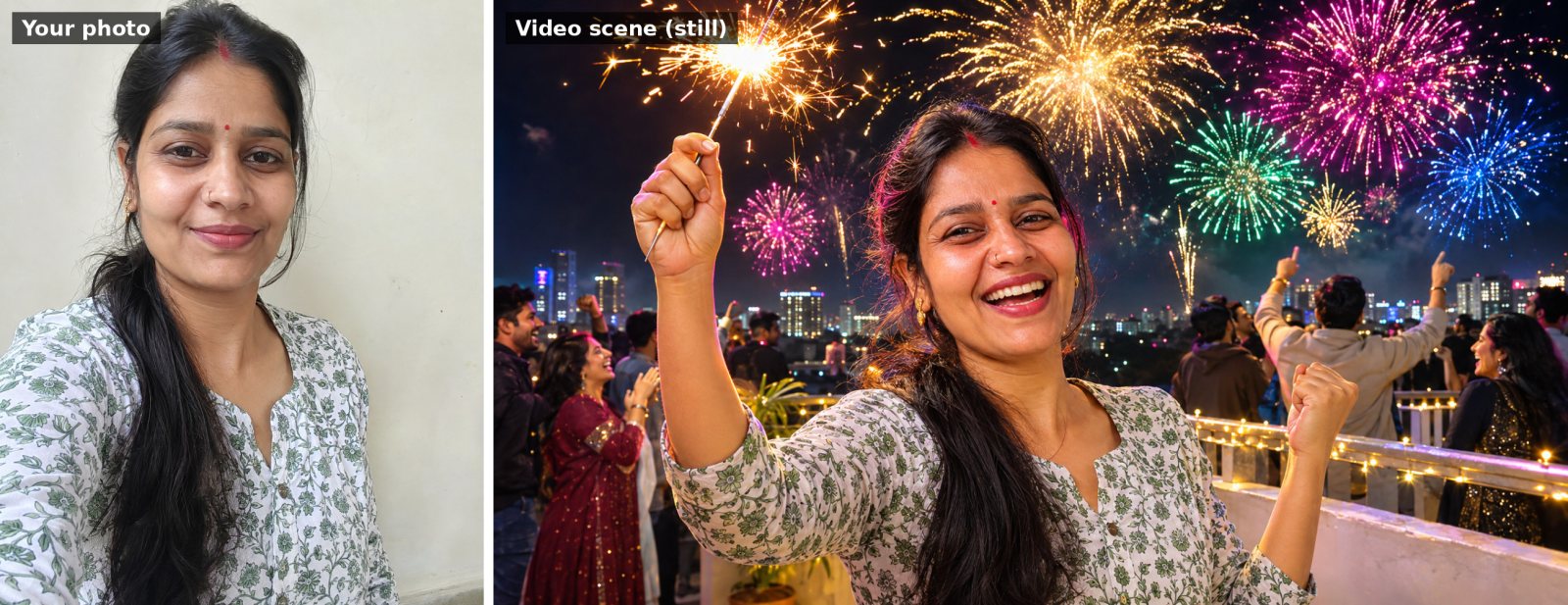
Use my uploaded photo as the starting frame and keep my face, features and clothes exactly the same throughout the video. Animate me on a rooftop at midnight with the city skyline behind me, holding a sparkler. A crowd counts down "three, two, one", the sky bursts into colorful fireworks, I raise my sparkler, cheer and laugh. The camera slowly pulls back to reveal the full fireworks display. Sound: the crowd counting down, fireworks booming and people shouting "Happy New Year!". Cinematic, vibrant, realistic, 16:9.
“2027” sparkler text reveal (no photo needed)
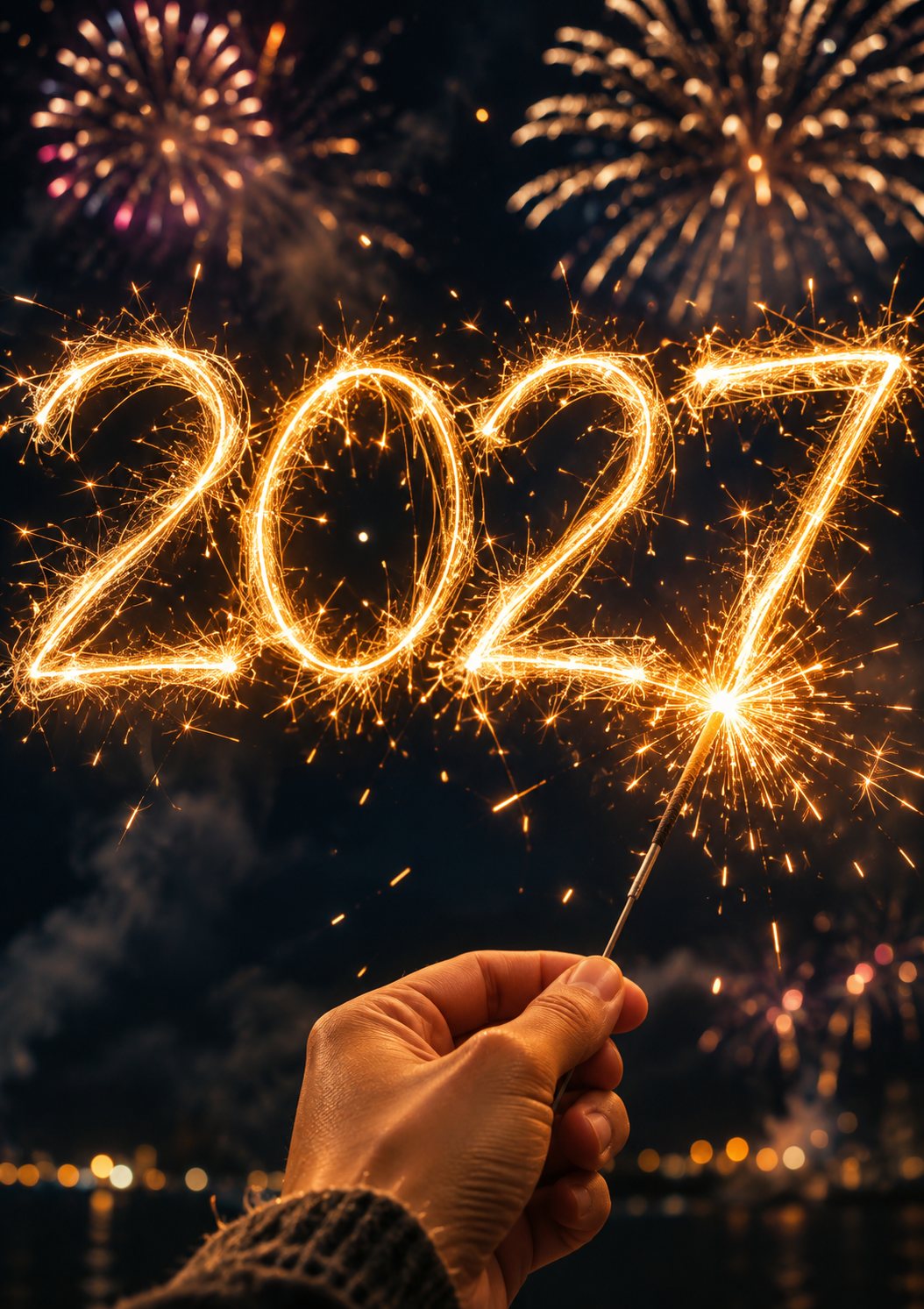
A night-time New Year video: a hand holding a lit sparkler draws glowing golden light trails in the dark air, and the trails form the numbers "2027", which stay glowing while fireworks burst softly in the blurred background. Close, slow-motion shot with sparks floating. Sound: crackling sparkler, distant fireworks and a soft cheer. Magical, cinematic, vertical 9:16, numbers drawn exactly as written.
Festival video prompts
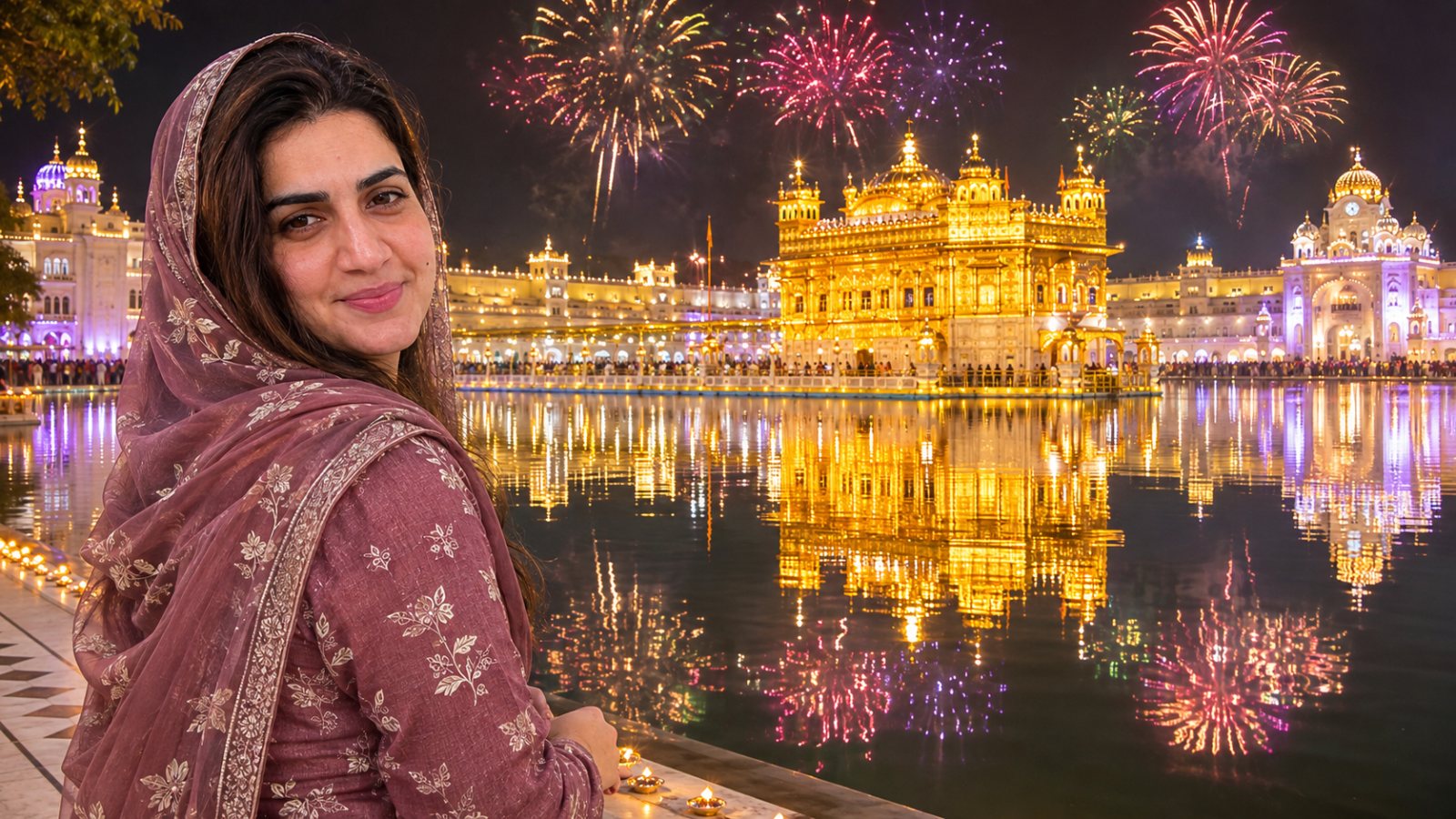
Gurpurab: lighting a diya at the Golden Temple
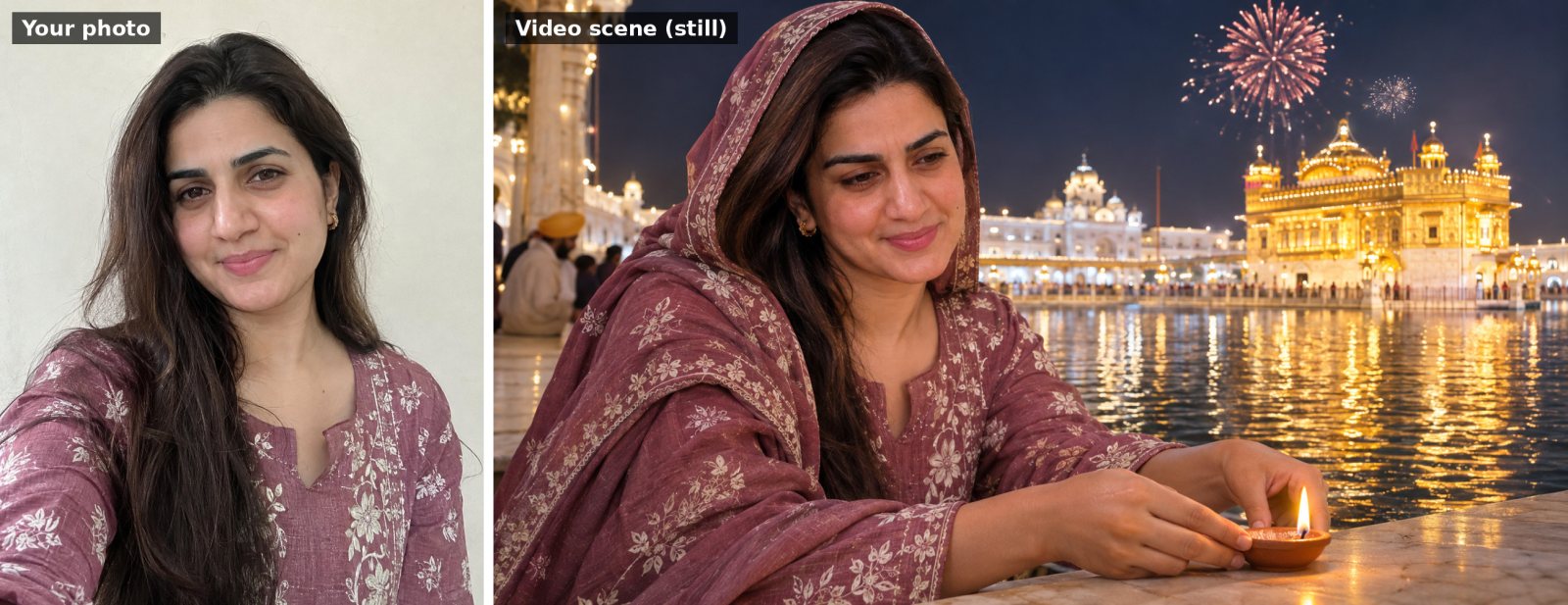
Use my uploaded photo as the starting frame and keep my face, features and clothes exactly the same throughout the video. Keep my head covered with a dupatta. Animate me at the edge of the sarovar at the Golden Temple on Gurpurab night, gently lighting a small clay diya and placing it on the marble edge. The Golden Temple glows behind me, its reflection shimmering on the water, and soft fireworks bloom in the sky. Slow camera push-in. Sound: peaceful kirtan in the distance and soft water sounds. Serene, respectful, realistic, 16:9.
Thanksgiving family toast
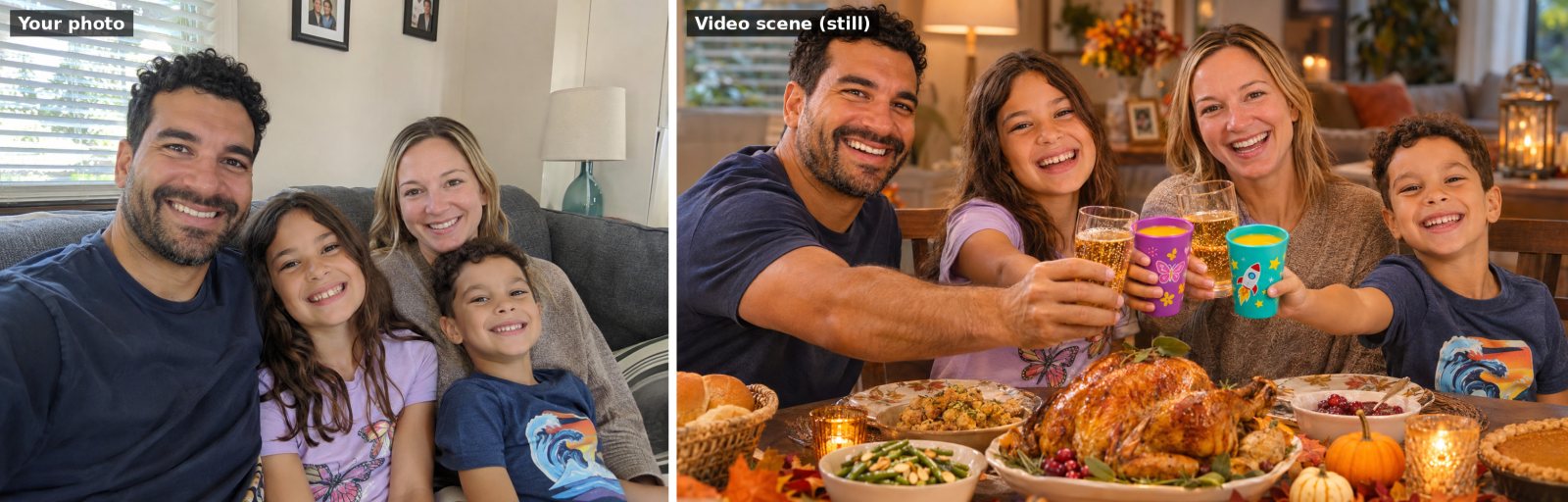
Use our uploaded family photo as the starting frame. Keep every person's face exactly the same and keep the same number of people. Animate us sitting around a Thanksgiving dinner table with a roast turkey, candles and autumn leaves. The adults raise glasses of sparkling cider and the kids raise colorful cups of orange juice, everyone clinks them together in the middle, laughs and says "Happy Thanksgiving!" together. Slow camera move along the table. Sound: glasses clinking, warm laughter and soft acoustic music. Cozy, warm, realistic, 16:9.
Everyday and memory video prompts
Good morning tea and sunrise (no photo needed)

A calm good morning video: a cup of hot tea on a wooden window sill, steam slowly rising, as the sun rises over green hills outside and golden light spreads across the cup. A small bird lands on the sill. Gentle text fades in at the top: "Good Morning". Very slow camera push-in. Sound: birds chirping, soft breeze and gentle acoustic music. Peaceful, realistic, vertical 9:16, text spelled exactly as written.
Bring an old family photo to life
One of the most-loved uses of AI video: a parent's or grandparent's old photo, gently smiling and blinking. A beautiful Mother's Day or Father's Day surprise.
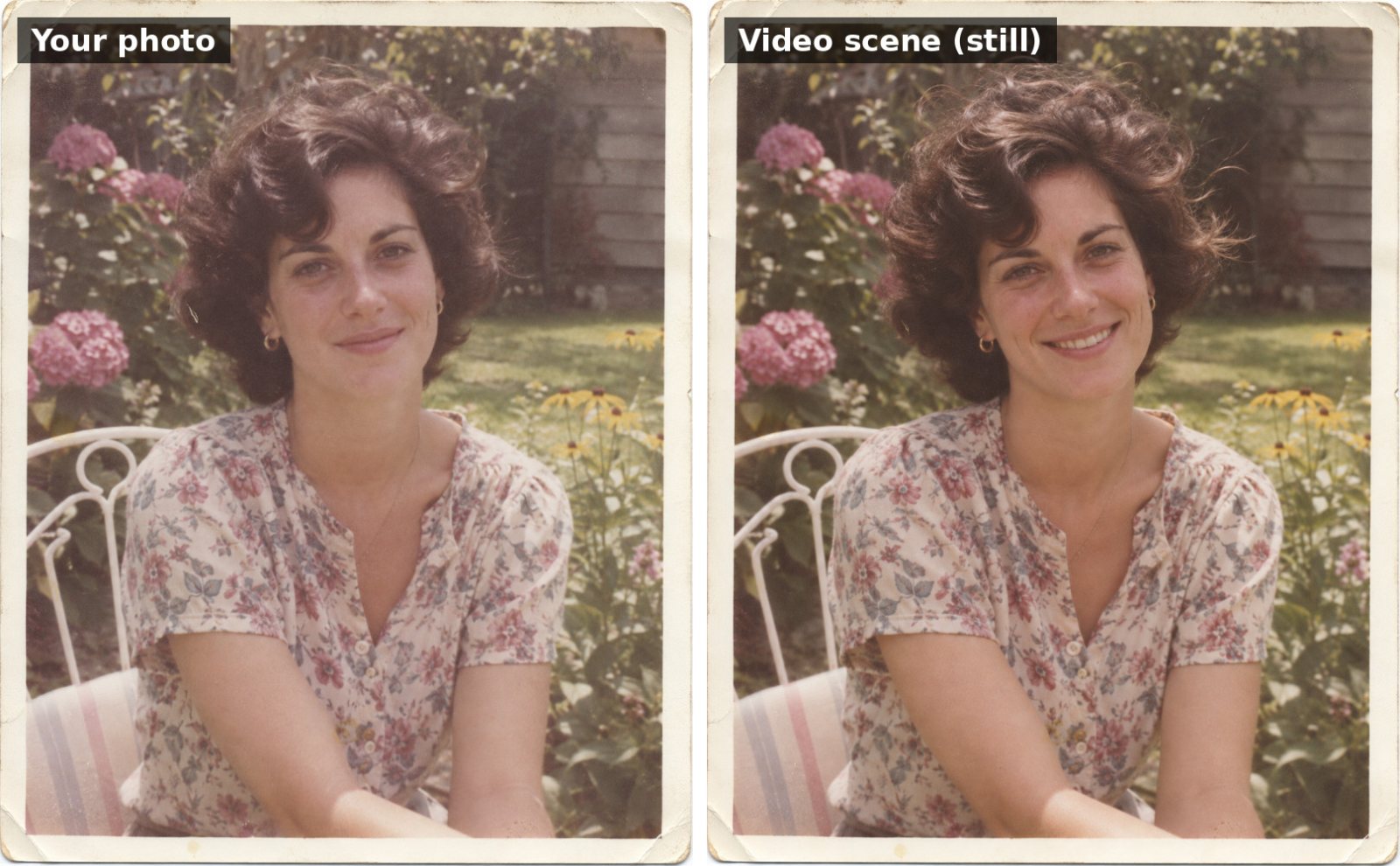
Use my uploaded old photo as the starting frame. Keep the person's face, features, clothes, the photo's colors and its vintage film look exactly the same. Gently bring the photo to life: she blinks naturally, breaks into a warm smile, tilts her head slightly and a light breeze moves her hair. Keep the camera almost still, with a very slow push-in. Sound: soft, emotional piano music. Subtle, realistic, respectful, same aspect ratio as the photo.
Polaroid develops into your photo
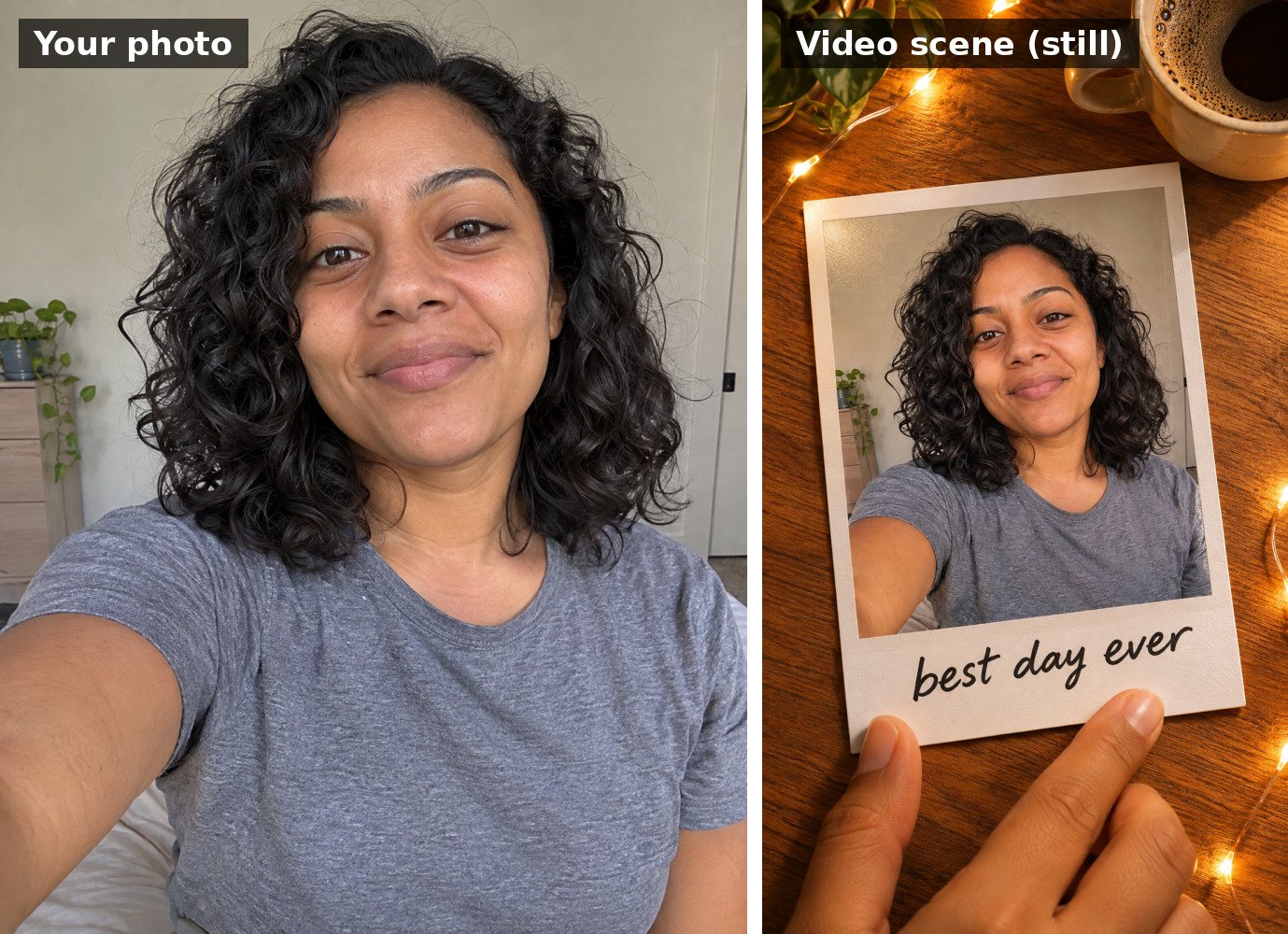
Use my uploaded photo. Create a short video: a hand places a blank Polaroid instant photo on a wooden table next to a coffee cup and fairy lights. Over a few seconds the Polaroid slowly develops, revealing my uploaded photo inside the white frame, with my face exactly the same as the uploaded photo. Handwritten marker text appears on the bottom border: "best day ever". Top-down camera, cozy warm light. Sound: the click of a camera and soft lo-fi music. Realistic, vertical 9:16.
Tips for better AI videos
- One action per clip. With about 10 seconds, “blows out candles, then confetti falls” works; five different actions won't.
- Describe the camera. “Slow push-in” or “camera circles around us” makes clips feel professional instead of random.
- Write the sound. If you don't mention sound, you get generic music. Name it: “jingle bells and footsteps in snow”.
- Put spoken words in quotes and keep them short: "Happy birthday, Priya!".
- Pick the shape first: 16:9 for YouTube and TV, vertical 9:16 for Reels, Shorts and WhatsApp status.
- Keep on-screen text short. Two to four words come out much more reliably than a whole sentence.
Common problems and quick fixes
- “My face changes during the video.” Reply: “Keep my face identical to the photo in every frame.” A sharp, front-facing photo helps a lot.
- “Nothing much happens.” Make the action clearer and put it first: “Within the first two seconds, she blows out the candles.”
- “Too much happens / it looks chaotic.” Remove actions until there are only one or two, and ask for a “slow, steady camera”.
- “The text is misspelled.” Shorten it, or remove it and add the text later in Instagram or WhatsApp.
- “The option to create video is missing.” Video needs a supported Google AI plan and country. Try Google Flow, or check your plan in the Gemini app.
FAQ
Is Gemini video free?
Video creation in the Gemini app needs a Google AI subscription, and each plan has a daily or monthly limit. Google Flow has offered free users a small number of daily credits. Check the current limits in the app, because they change often.
Can I use these prompts in other AI video tools?
Yes. The prompts are written in plain language, so they also work in other AI video generators. You may need to adjust the length or the way you attach your photo.
How long can the video be?
Gemini currently makes clips of up to about 10 seconds. For a longer video, make several clips and join them in an editor like CapCut, InShot or Instagram's own editor.
Can I tell that a video was made with AI?
Google adds an invisible SynthID watermark to AI videos made with its tools. It's good practice to say a video is AI-made when you post it, especially when it shows real people.
Is it safe to upload my photo?
Your photo goes to Google, not to GreetPrompts. Check the Gemini app's privacy settings, and only animate photos of other people, especially children and old family photos, with permission.
Prefer still images? See our Guru Nanak Jayanti photo prompts, Chhath Puja photo prompts and the guide on how to make a greeting card with AI.